Simplify Document Handling in Salesforce

With Salesforce

docvas
Why DocVaz

Challenges encountered by users in Document Management within Salesforce

Disorganization

Documents can be scattered across various folders, making it difficult to locate and manage essential file

Limited Accessibility

Restricted access to documents can hinder collaboration and productivity, especially when team members need specific files

Scalability

As businesses grow, managing an increasing volume of documents can become overwhelming without scalable solutions

Integration Complexity

Integrating external document management systems with Salesforce can lead to compatibility and synchronization issues

Search & Retrievel challenges

As businesses grow, managing an increasing volume of documents can become overwhelming without scalable solutions

Lack of Automation

Automating document-related processes, such as approval workflows, can be limited without specialized tools

DocVaz Capabilities

Let us manage your Document Management with ease

Document Mapping & Categorization
  • Structured Repository: Map documents to specific categories, creating a well-organized repository.
  • Intuitive Navigation: Users can navigate through categorized folders, simplifying document access.
  • Contextual Grouping: Group related documents under appropriate categories for contextual understanding.
  • Scalable Architecture: Easily scale categorization as your document volume grows, ensuring continued efficiency.
Document Mapping & Categorization
Document Tagging
  • Efficient Organization: Categorize documents using custom tags for quick and logical retrieval.
  • Enhanced Search: Easily locate documents by applying multiple tags, streamlining search results.
  • Flexible Classification: Tag documents based on project, department, or any relevant criteria.
  • Improved Collaboration: Tags enable better document sharing and collaboration among teams.
Document Tagging
Integration with external Storage
  • Google Drive
  • AWS S3
  • Dropbox
  • Sharepoint
  • One Drive
Integration with external Storage
Configure Rules & Automation
  • Automated Actions: Set up rules and workflows to trigger automated actions based on document events.
  • Process Efficiency: Automate document approval, review, and sharing processes, enhancing overall efficiency.
  • Error Reduction: Minimize manual errors by automating repetitive tasks, ensuring consistency and accuracy.
Configure Rules & Automation
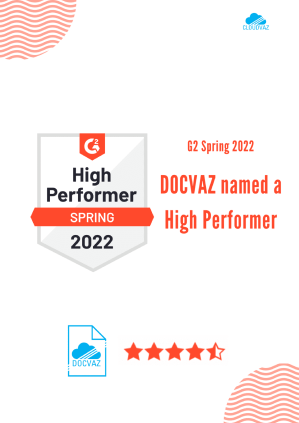
DocVaz review in G2

Let’s talk about how this simple utility app can streamline your Document Management in Salesforce